
Oracle Webcenter Suite is enterprise Portal solution from Oracle. This post covers installation overview of Oracle WebCenter Suite 11g R1 (step by step installation document on Linux coming in next post)
.
Components of Oracle WebCenter
A. Oracle WebCenter Framework
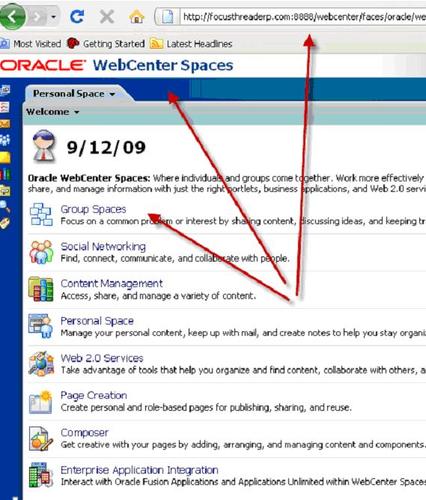
B. Oracle WebCenter Spaces
C. Oracle Composer
D. WebCenter Services – Discussions, Blog, Wiki
For more information on these components click here
.
Software required to install Oracle WebCenter
WebCenter is deployed as J2EE application on Oracle Weblogic Server and uses Oracle Database as repository so in total you need to download following software to install Oracle WebCenter Suite 11g
1. Oracle Database– Repository for WebCenter Suite
Download 11g R1 (11.1.0.7 or higher) or 10g R2 (10.2.0.4 or higher) from here
2. Repository Creation Utility (RCU)– To load WebCenter Repository in Oracle Database
Download it from here (under Required Optional Software)
3. Oracle WebLogic Server 11gR1(10.3.1) – Application Server required to host WebCenter Suite from here
4. Oracle WebCenter Suite 11g R1 under Runtime Software from here
.
WebCenter 11g Installation Order
1. Install Oracle Database 10gR2 (10.2.0.4 or higher) or 11g R1 (11.1.0.7 or higher)
2. Load/Create schema (webcenter, portlet, ocserver, discussions, wiki) in database using RCU (Repository Creation Utility) more information here
3. Install Oracle WebLogic Server (This step will create Fusion Middleware Home and install WebLogic Server in that home) – to know more about homes in Fusion Middleware click here
4. Install WebCenter Suite 11g (This step will install webcenter suite ORACLE_HOME under Fusion Middleware Home)
5. Configure WebCenter Suite (This step will create 1 Administration Server and three Managed Server (WLS_Portlet, WLS_Services and WLS_Spaces in Weblogic Server) – To know more about Administration Server and Managed Server in WebLogic click here
6. Start Administration and Managed Server (WLS_Portlet, WLS_Services and WLS_Spaces)
7. Access WebCenter Applications (webcenter, portalTools, owc_discussions, owc_wiki) using URLs mentioned below
.
Things good to know about WebCenter Suite 11g Installation
1. For WebCenter Suite installation you need JRE/JDK 1.6 ; You can use JDK 1.6 installed as part of Weblogic Server
2. You can install WebCenter 11g with or without UCM (Universal Content Management)
3. If you are planning to select UCM with WebCenter Suite then HTTP Server is required (install HTTP server before WebCenter or you can use an existing HTTP Server)
4. While creating repository (using RCU) connect as sysdba privileges (sys or system) else schema load will fail
5. When you configure Webcenter (step 5 above) using config.sh from WebCenter ORACLE_HOME/common/bin ; it creates a WebLogic Domain with one Administration Server and three Managed Server
a) WLS_Spaces for WebCenter Spaces listening on port 8888
b) WLS_Portlet for Portlets listening on port 8889
c) WLS_Services for Discussions, Wiki, Blog on port 8890
6. Various default URL’s for Webcenter Suite
- http://<servername>:7001/console – Administration Server Console for WebLogic
- http://<servername>:8888/webcenter – Webcenter Spaces
- http://<servername>:8889/portalTools – Portlet
- http://<servername>:8890/owc_discussions – Discussions
- http://<servername>:8890/owc_wiki – Wiki/Blog
.
Webcenter Suite Installation Documentation from Oracle
Step by Step Installation of Oracle WebCenter Suite 11g coming soon !!
Comments are closed.