
This post cover key points and request flow that you must understand when integrating three Oracle Identity Management product OIM, OAM, and OAAM
a) OIM – Oracle Identity Manager
b) OAM – Oracle Access Manager
c) OAAM – Oracle Adaptive Access Manager
For an overview of features available by integrating OIM, OAM, and OAAM click here
1. OAM can be integrated with OAAM using
a) Basic – using authentication scheme as OAAMBasic (for OAM 11.1.1.3.0) – works only with 10g webgate and OSSO Agent
or
b) Advanced – using authentication scheme as OAAMAdvanced (for 11.1.1.3.0) – works with 10g WebGate
or
c) Advanced with TAP – using authentication scheme as TAP (for 11.1.1.5)- works with 10g and 11g WebGates
where TAP is Trusted Authentication Protocol.
More on various integration options between OAM & OAAM click here
2. Advanced with TAP is recommended option to integrate OAM with OAAM
3. With OAM-OIM-OAAM integration you additionally get password management flows using OAAM (via KBA).
4. KBA stands for Knowledge Based Authentication (functionality provided by OAAM) and with OIM-OAAM integration, KBA is used as
a) Second factor authentication for change password
b) First authentication for forgot password
5. When you integrate OAM , OIM, and OAAM using advanced integration, this is what happens when user try to access OIM screens (or resource protected by TAP Scheme)
a) OAM checks URL is protected by TAP Scheme and as user is not authenticated yet so user is redirected to OAAM login page
(This is because URL is protected by TAP scheme and TAP authentication scheme redirects user to OAAM server for login)
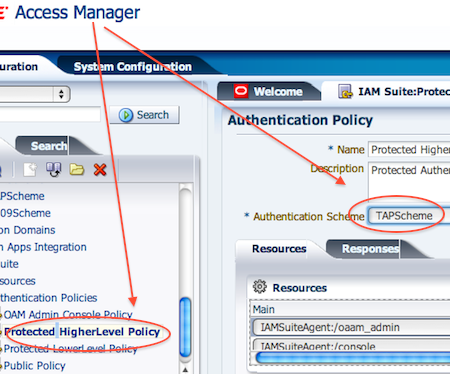
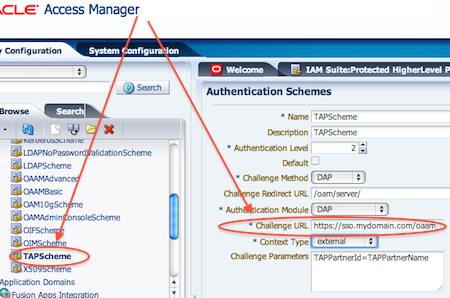
b) OAM (based on challenge URL defined in TAP scheme) forwards request to OAAM Server
c) OAAM server presents user with username page where user submits his username

d) OAAM records (fingerprints) user device and runs pre-authentication rules before showing password page to user
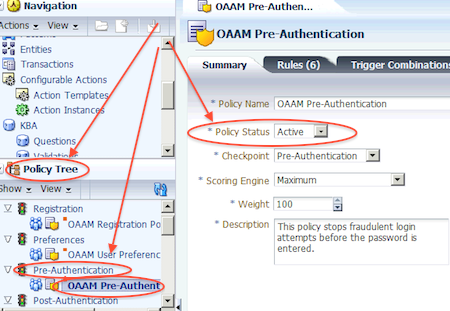
Note: Device fingerprint is mechanism where where OAAM recognises what device user logs in with like Desktop, Laptop, PDA, Cell Phone, web bases device, etc
e) Virtual Authenticator Device (VAD) rules are run during Authentication Pad checkpoint and decides which Virtual Authenticator device to display for password page
f) At this stage
— i) For registered user in OAAM, Password page with personalised TestPad/KeyPad is displayed
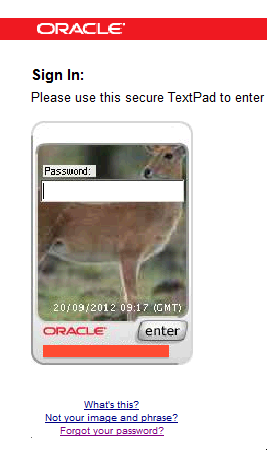
— ii) a- For unregistered users (in OAAM) password page with generic TextPad is displayed follow section for first time logon
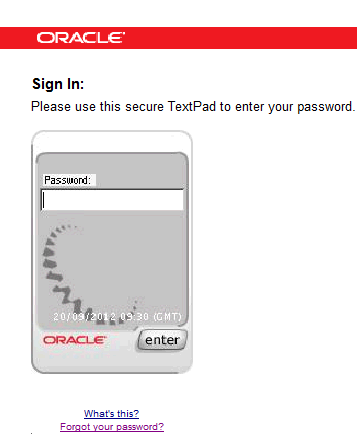
ii b) -: For unregistered users login for first time, system presents user to reset password on first logon. System also presents user with option to set challenge question (KBA), image on virtual device , phrase on virtual device.

g) OAAM collects username/passwordand then sends NAP API call for Authentication to OAM
h) OAM makes a ldap call to OID (identity store configured with OAM). More on OAM identity store configuration (steps mentioned here are manual integration) here and here
Note: Oracle Internet Directory (OID) is LDAP compliant store from Oracle to store enterprise users.
i) After successful authentication OAM issues TAP token to OAAM
j) OAAM then executes post authentication rules
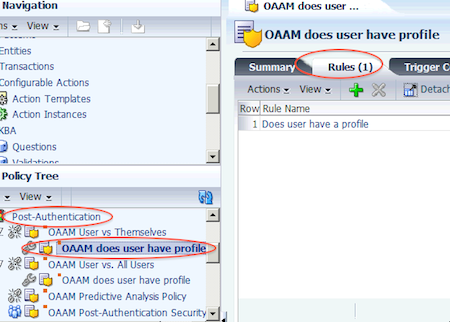
based on rule/risk could present user with second authentication (KBA or OTP)
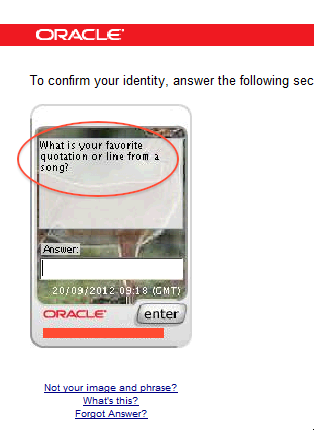
Note: Knowledge Based Authentication (KBA) and One Time Password (OTP) are features available in OAAM. OTP by default is disabled in OAAM
k) OAAM then sets the OAM cookie and redirects user to resource requested in step a)

Related

Comments are closed.