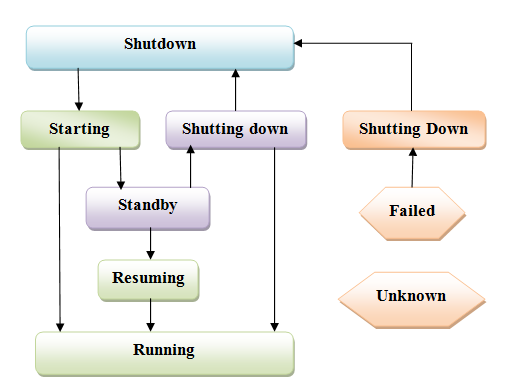
This is third post in Series “Learn Oracle WebLogic with Us” .
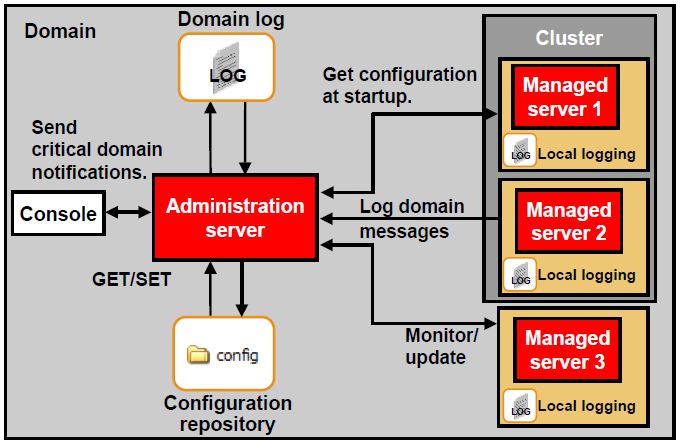
After WebLogic installation Here, next step is to create Domain. This post cover steps to create Domain in WebLogic (Simple - Administration Server or Advanced - one Administration Server and two Managed Server in a Cluster). If you are not familiar with Domain, Administration/Managed Server or Cluster then read my post here my post here or Oracle Documentation here
There are multiple ways to create domain, steps mentioned here are using Configuration Manager Wizard (config.sh or config.cmd).
–For Unix/Windows start configuration wizard using $BEA_HOME/ wlserver_10.0/ commom/ bin/ config.cmd (windows) or config.sh(UNix)
–To Start configuration wizard in console mode use - config.[cmd|sh] -mode=console
Screenshot below for creating Domain in WebLogic using Configurtaion Manager in GUI mode. Start Configuration Manager using command given above (config.sh / config.cmd)
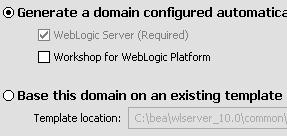
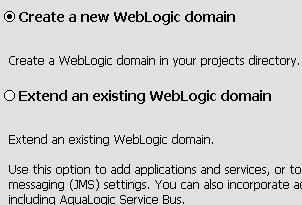
1) Create or Extend Domain - In First screen you select if you wish to Create new WebLogic Domain or Extend an Existing WebLogic Domain.
Extending WebLogic Domainmeans you already have WebLogic Domain and want to add more Managed Server or configure cluster or configure additional applications.
2) Select Domain Source -
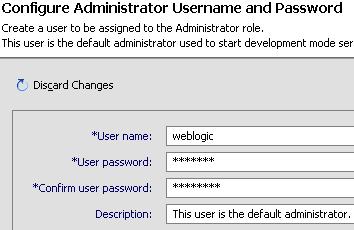
3) Configure Administrator - In below screen you define UserName and Password for WebLogic Domain and add/grant Administrator Role to that User (This user name /password will be used to start/stop domain if Mode of domain is Production and to login to domain Admin WebConsole)
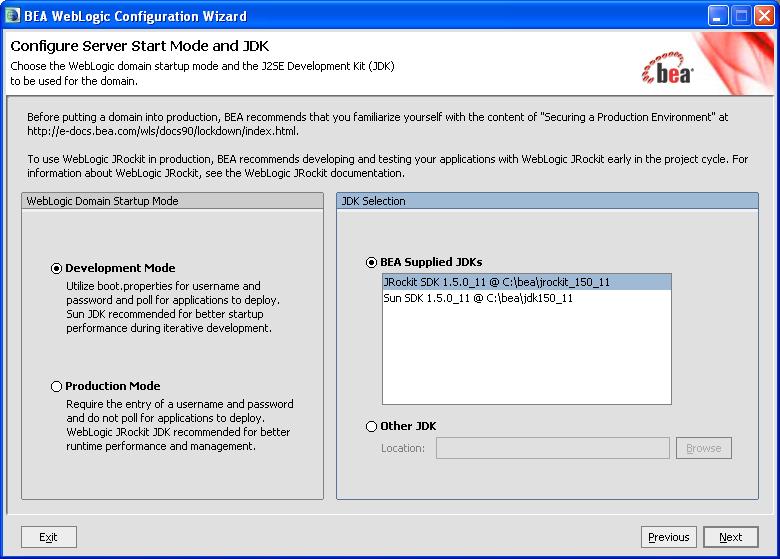
4) Select JDK & Start Mode - In below screen, you define Mode in which you wish to start your domain and JDK (Sun, JRockit or any other JDK)
Production Mode- Domain is more secure, You need username password to start domain or deploy application.
Development Mode- Not very secure, You can Autodeploy application and no need to provide username/password to start Domain.
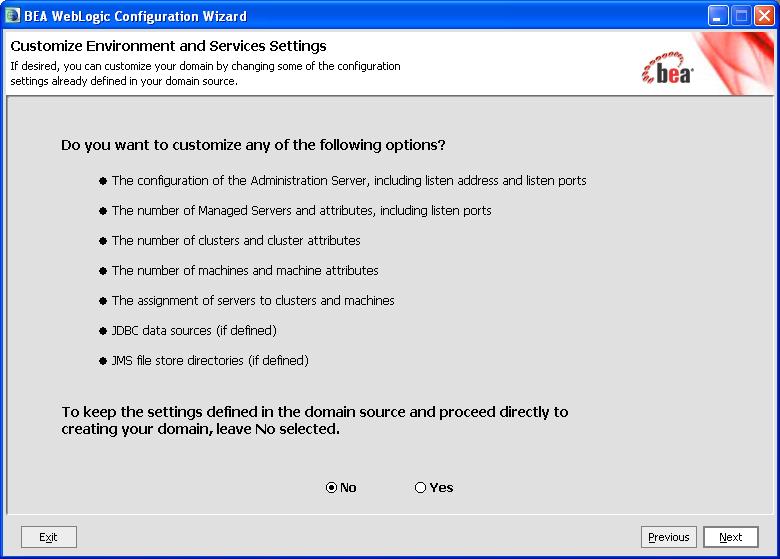
5) Customize your domain - Using below screen you can customize your domain (Create Managed Server, Cluster, JDBC Source, JMS File Store). Select initially No to create simple domain with Just one Administration Server (You can deploy your application in Administration Server but this is not recommended in Production Instance).
To create Advanced Domain (one Administration Server and two Managed Server and Cluster) go to Step 8 )
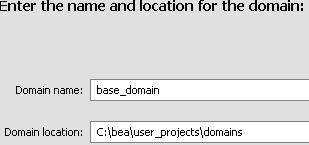
6) In next screen you provide Domain Name, Location of Domain.
7) Finally, If you are installing on Windows, you can select to “Start Admin Server“
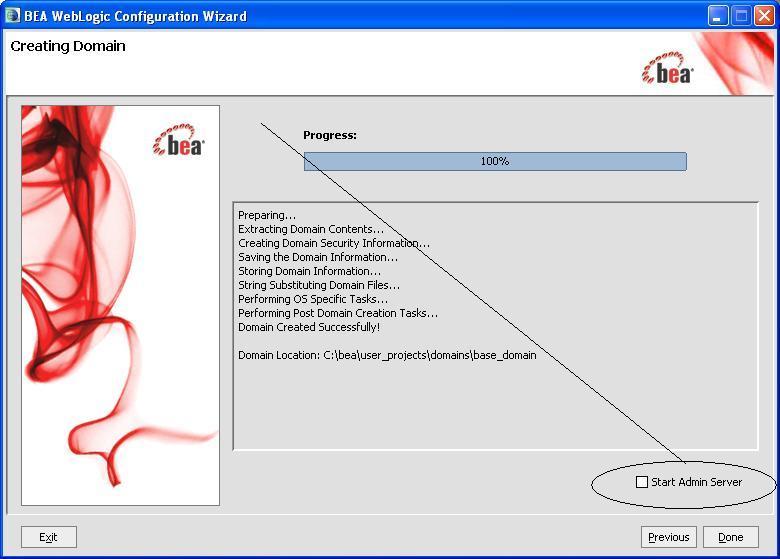
Click Done to finish Domain Installation.
Next Step, go to Start WebLogic and access Domain Console from browser at end of this post.
.
Create Domain with one Administration Server and two Managed Server Instance in Cluster
Steps here are to create new Domain with one Administration Server (AdminServer), two Managed Server (MS1 & MS2) in cluster (cluster_1)
- Administration Server and both Managed Server are installed on single machine (you can configure them on multiple servers as well).
.
Administration Server
Name - AdminServer
Listen Address - All IP address on machine
Listen port - 7003
SSL Listen Port - 7004
.
Managed Server 1
Name - ms1
Listen Address - All IP address on machine
Listen port - 7103
SSL Listen Port - 7104
.Managed Server 2
Name - ms2
Listen Address - All IP address on machine
Listen port - 7203
SSL Listen Port - 7204.
Cluster Details
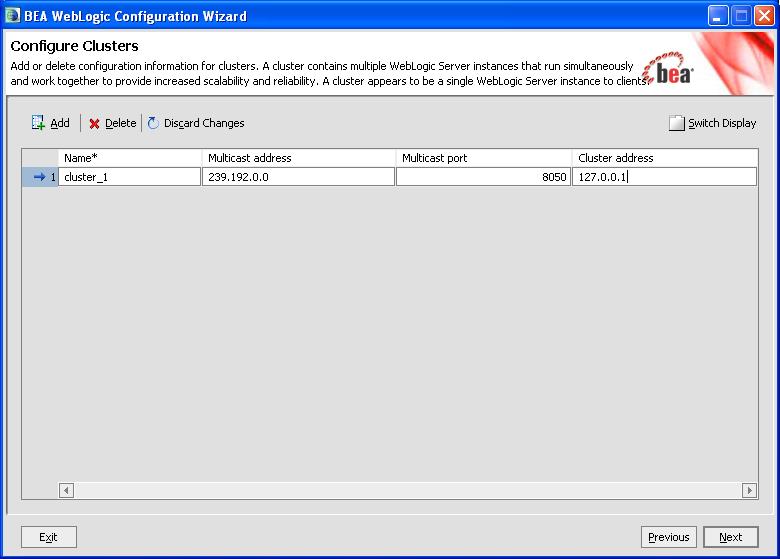
Cluster Name - cluster_1
Multicast Address - 239.192.0.0
Multicast Port - 8050
Cluster Address - 127.0.0.1
Cluster Member - ms1 & ms28 ) Start with step 1) to 4) as shown above on screen 5) “Customize Environment” select Yes as shown below
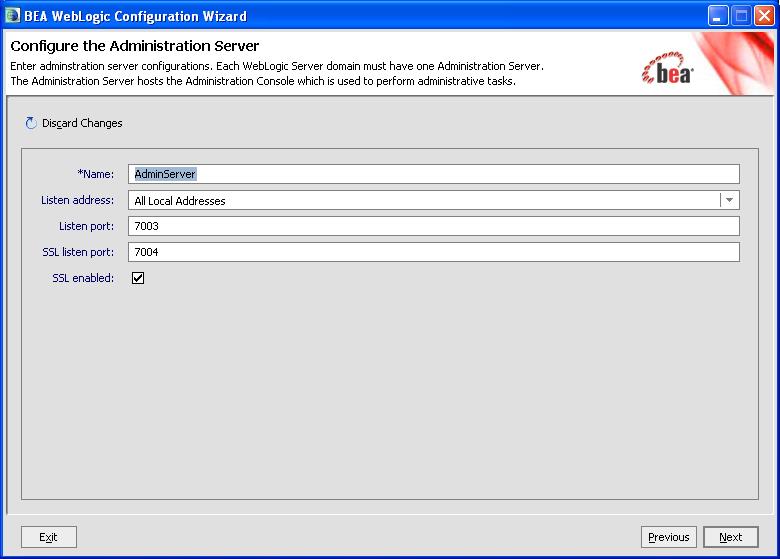
9) Configure Administration Server - configure Administration Server using this screen like Name, Listen & SSL Listen Port
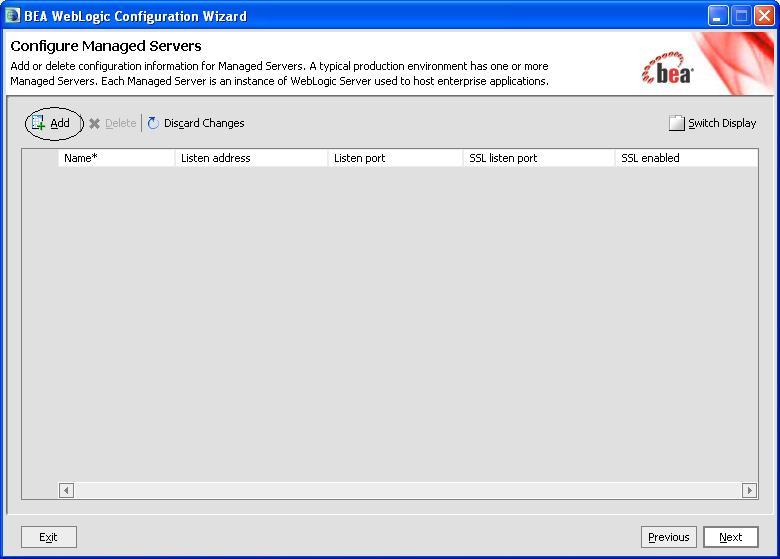
10) Configure Managed Server - click on Add to add managed server.
11) Configure Managed Server - Add two managed server (ms1:7103:7104 & ms2:7203:7204)
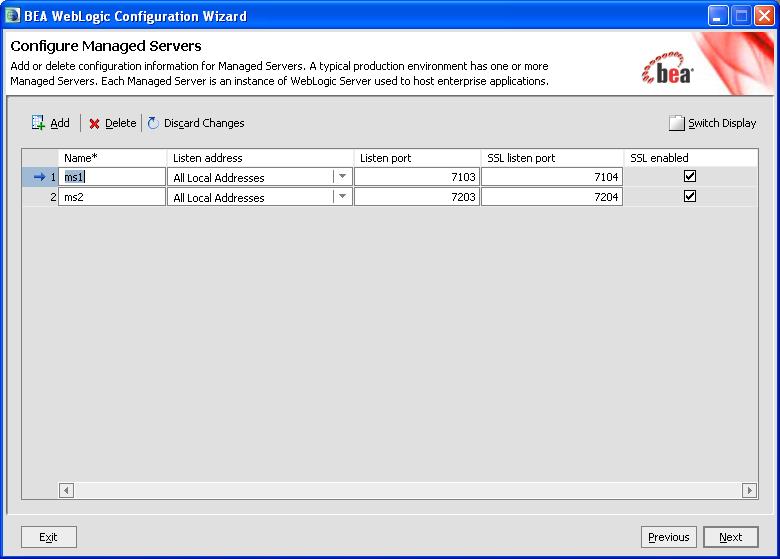
12) Configure Cluster - click on Add to create cluster and add Managed Server in Cluster. If you have NOT defined any managed server in previous screen, you will NOT get this screen.
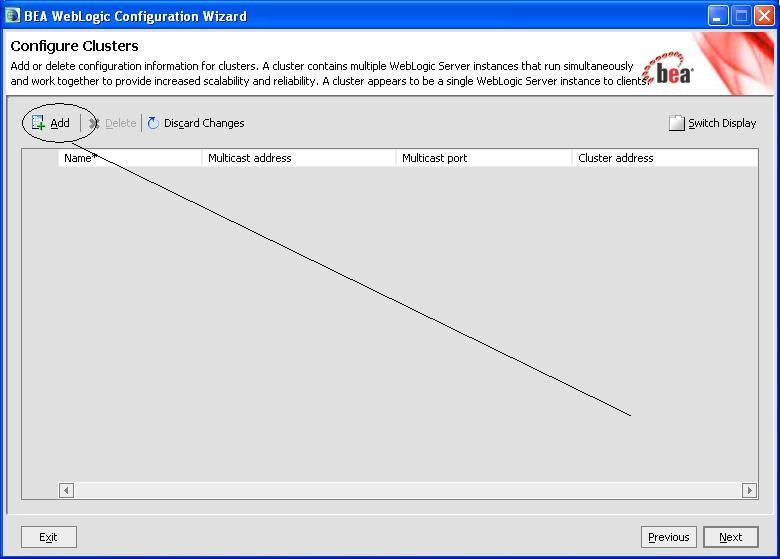
13) Configure Cluster- Define cluster with Cluster Name, Multicast Address, Port and address.
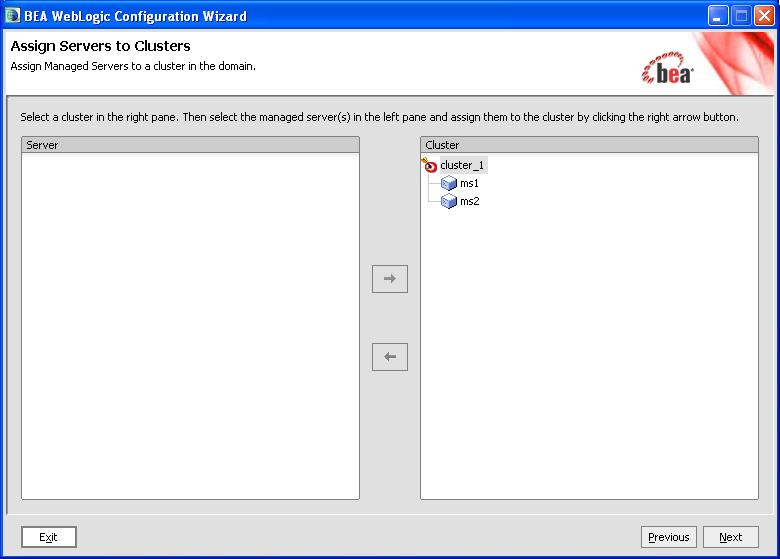
14) Assign Server to Cluster - Use this screen to add Managed Server on Left hand side to Cluster on right hand side.
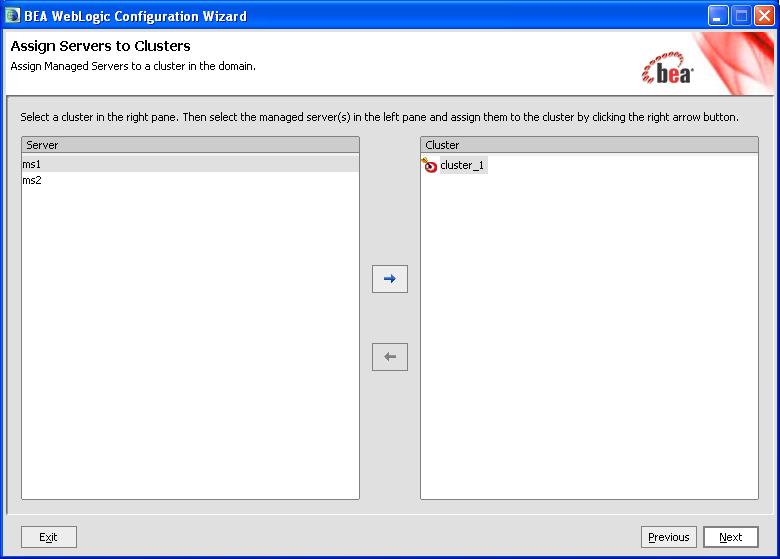
15) Assign Server to Cluster - as shown in below screen shot, We added MS1 & MS2 to cluster_1
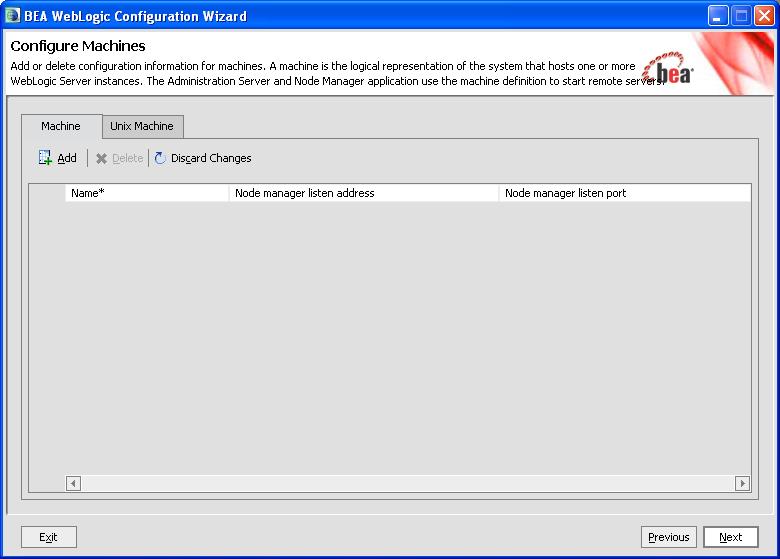
16) Configure Machine - Use this screen if you have more than one machine in your system. In our configuration Administration Server and all Managed Server are on single machine.
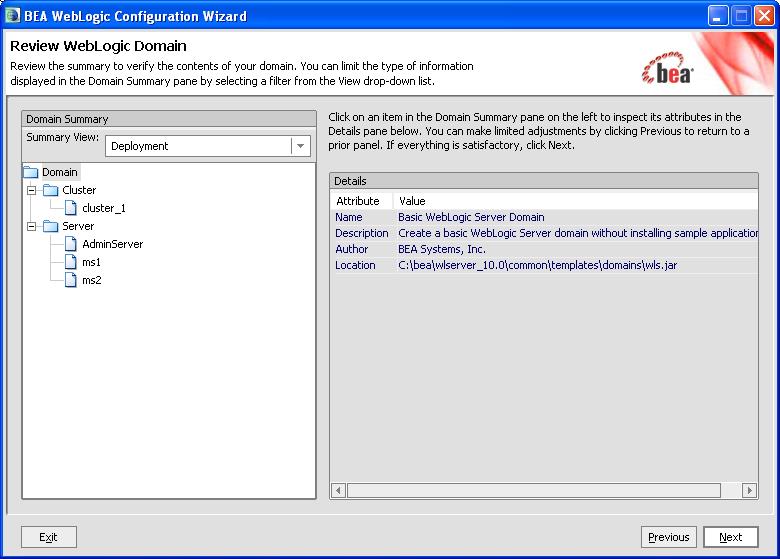
17) Review WebLogic Domain -
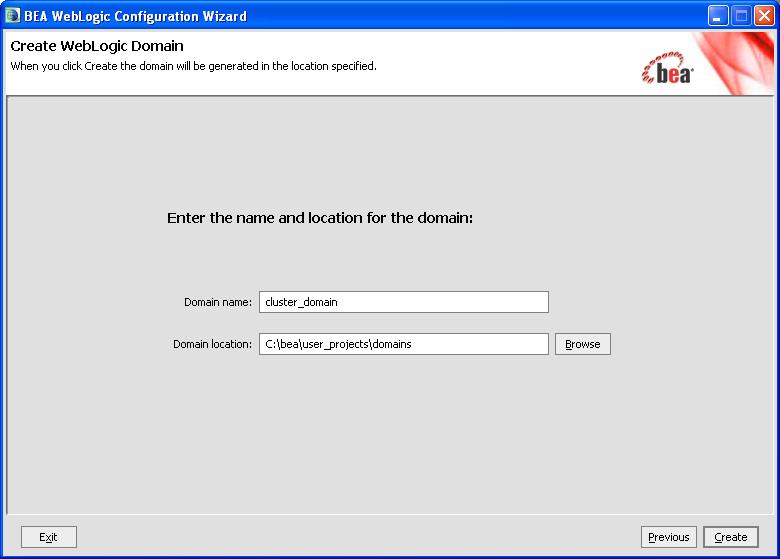
18) Create WebLogic Domain - define Domain Name and Domain Location on this screen. This screen is similar to step 6) above
.
.
Start WebLogic Domain
Once you have successfully created domain, next step is to start weblogic domain and access Administration Console. (Steps here are to start basic domain - only one Administration Server, “Start/Stop WebLogic Server - Administration and Managed Server“ coming soon… )
Startup Script
$BEA_HOME/user_projects/domain/<domain_name>/bin/startWebLogic.sh (Unix)
$BEA_HOME\user_projects\domain\<domain_name>\bin\startWebLogic.cmd (Windows)
I installed domain with name base_domain and my BEA_HOME is c:\bea hence to start my domain -
c:\bea\user_projects\ domains\ base_domain\ bin\ startWebLogic.cmd
.
Access Administration Console
Default Administration Port is 7001 so use port as 7001 (else use port you entered while creating WebLogic Domain)
http://<servername>.domain:7001/console
or
http://localhost:7001/console (If you are accessing from server directly)
Login to WebLogic Admin Console using UserName/Password created during WebLogic Domain Creation.
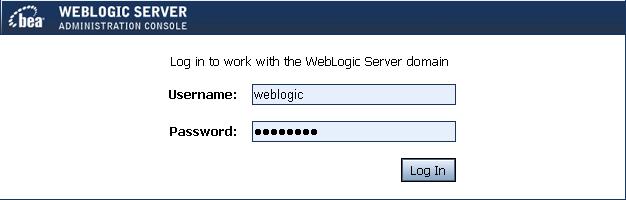
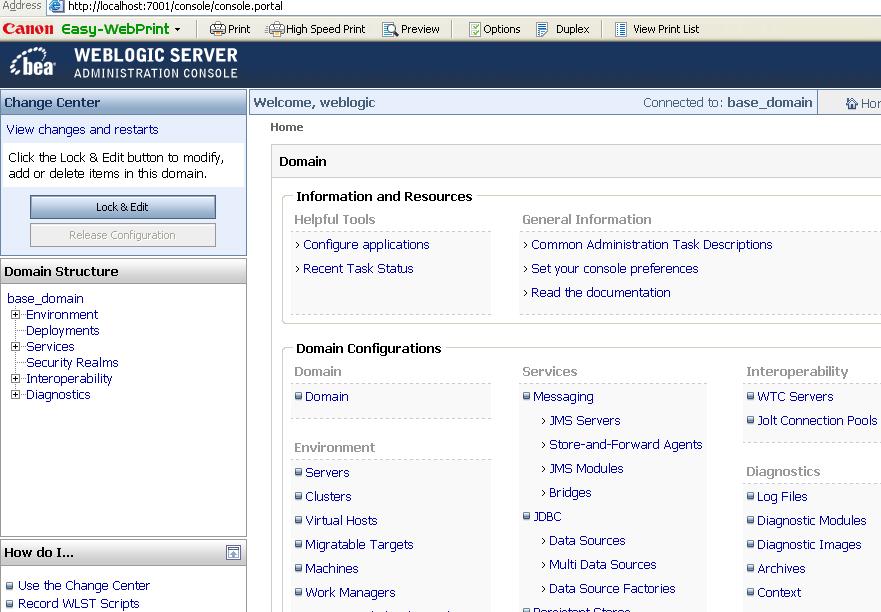
After successful login you should get screen like below.
.
References
Oracle WebLogic Domain Configuration Guide
Related Posts for Learn WebLogic with Us
- Oracle WebLogic Installation Steps
- Domain , Administration & Managed Server, Cluster in Oracle WebLogic
- Create Domain in Oracle WebLogic
- Oracle WebLogic Server - Startup/Shutdown
- Oracle WebLogic Server 10g R3 10.3 is out now
- Deploy Application on Oracle WebLogic Server
- Cluster Architecture : Oracle WebLogic Server
- Start WebLogic Server on Linux on port 80, 443 <= 1024
- JDBC (Java DataBase Connectivity ) in Oracle WebLogic - Overview
- WebLogic Server JDBC for Database connection : Step by Step
- Security in Oracle WebLogic : Realm, Security Provider, Authentication, Authorization, Users
- Deploy ADF application to Oracle WebLogic Server
- Node Manager in Oracle WebLogic Server
- Configure Oracle HTTP Server infront of Oracle WebLogic Server mod_wl_ohs
- How to install weblogic server on 64 bit O.S. (Linux /Solaris) ?
- Oracle WebLogic Login Issue : Password is not correct (Password Lock Policy)
- Oracle WebLogic Server : Node Manager in nutshell
- Certification : 1Z0-108 Oracle WebLogic Server 10g System Administrator Certified Expert
- How to integrate WebLogic with Oracle Internet Directory for Login : Authentication
- opatch, adpatch and now “smart update” (BSU) to apply weblogic patches
- Disater Recovery documentation for Oracle WebLogic Server 11g (Fusion Middleware)
- Authentication Providers in #WebLogic - Oracle Access Manager Identity Assertion for Single Sign-On and OAM Authenticator
- Error while starting WebLogic Server : java.lang.NumberFormatException: null
- #WebLogic startup prompting from username password : boot.properties
Popularity: 22% [?]


Good hands-on exercises (installation, patching, cloning), very experienced trainer worth every penny
28 users commented in " Create Domain in Oracle WebLogic "
Follow-up comment rss or Leave a TrackbackHi
I was trying failover mechanism for clustering..so i have created 1 adminserver and 2 managed servers like ms1 n ms2 in cluster_1, considering ms1, ms2 and admin server exist in the same physical machine and EAR file is deployed in ms1 and ms2. What ip/port configuration i need to provide for ms1 and ms2. Does ip n port will be same for ms1 and ms2? Can you please help me on this.
Rahul, Two services (ms1 & ms2) can’t start on same IP and Port combination.
Either IP has to be different OR port OR both.
Usually we define same IP (machine IP address) and two different port number (one for ms1 and other for ms2)
Hi Atul,
Thanks for your response. I am still not very clear about the failover mechanism, continuing with the same example. I assume if the user is accessing some web appln using url say http://10.10.10.10:7001/console/login.jsp
Where 10.10.10.10 is the IP addss of machine which is hosting the admin server and 2 managed server ms1 n ms2. Now if ms1 (using port 7001) goes down it should switch automically to ms2 (same ip with port say 7101) which is up and running but in that case user will not be able to access the appln with the URL http://10.10.10.10:7001/console/login.jsp. Can you please explain how this scenario is handled in clustering.
Thanks
Rahul
Rahul,
You put load balancer in front which distribute load to various managed server running on different port.
User connect to loadbalancer on single port (usually 80 or 443) which in turn fwd request to managed server on ports lets say 7001 & 7101
Thanks Atul for all you help.
Cheers
Chandan
can u plz tell me what r things required if i wanna put my application online
thanx
saurabh
Can you explain how to install a,
Domain (machine A),1 server in machine B, 1 server in machine C and a cluster of servers 3/4 one each in machine B and c.
This would be of great help.
Thanks in advance !!
Aawardhan
Hi,
I am new weblogic. I have installed weblogic 10.3 in linux machine. I have started it by running the startWeblogic.sh file from /home/oracle/bea/wlserver_10.3/samples/domains/wl_server/bin.
Server is running in back ground. I am able to connect to Admin console.
Now i have created domain called base_domain at bea/user_projects/domains/base_domain
Now i want to run the startWeblogic.sh file from
bea/user_projects/domains/base_domain/bin path.
Above thing is giving me error. Port has already used.
Start failed.
Wat can i do now. Please help me out. Is really need to start server from $domain_home/bin/startWeblogic.sh.
Thanks in advance.
Sridhar.
Sridhar, It seems that for base domain (new domain) you used same port as Admin Server or port you used for base domain is used by some other service.
Use different port for new domain.
Hi Atul,
Thanks for your reply. I have stopped weblogic server which is running from bea/wlserver_10.3/samples/domains/wl_server/bin
And i have started the server from bea/user_projects/domains/base_domain/bin path
Now Admin console is opening for my domain base_domain.
Is this process is correct?
To start weblogic server, which startweblogic.sh need to be run. Because this file present in so many locations.
Please clarify it.
Thanks in advance.
Hi,
I have a doubt if we deploy an application in admin server can we access that from managed servers??
Can u plz tell me how to configure two instance on two different ports ?
by default it is getting configured at 7001 and its running fine .
but not able to configure it on some different port like 8001 etc..
plz help…
thanks in advance !!!!!!
Hi shashank,
U can create by creating a new domain with different port other than 7001.
In same domain we can not access same port for 2 instances. You can use different port for managed server.
Hi ravisankar,
I think we can not access the application on managed server, which is deployed on Admin server. I hope it is 100%
Hi,
How to apply load balancing for the 2 managed servers in cluster?
How can i create cluster for 2 managed servers which are created on separate IPs( systems )?
Is there any way to do this?
Please help me. Thanks in advance.
Sridhar
Hi Atul,
I am new to weblogic administration.
I Have seen ur posting for crating domain, adminServer and managed servers. I tried and created those successfully, but i dont know how to manage those adminserver and cluster(managedserver) from admin console to start and stop)
Could you please help me on this how to configure node manager. Thanks in Advance.
satya
Hi Satya,
Admin server you can start from command line only. But you can stop from console and command line also. Managed server you can stop and start from console. Before starting managed server you have to start NodeManger (bea/wlserver_10.3/server/bin/startNodemanger.sh). Then you can start managed server from console.
If you are using windows this is a .cmd file to run Nodemanager i.e, startNodemanager.cmd
Hope this will help you.
hi
i am new to weblogic i facing some problem in domain
There is alreay a domain in weblogic in which a application is running perfectly
i need to install another application in weblogic
Do i need to create a new domain for that application?
If creating a new domain will it delete the existing domain?
or can i extend the prevoius domain?
if extending will i get a new config.xml file where i can give ports for that application to run?
please suggest me what i have to do so that both application will be running parallely
@ Dinu,
Application is deployed on Server (Admin or Managed, usually managed server) with in a domain.
Now you can deploy on existing server or create new managed server.
If you want new application to run parallely then deploy it on existing domain and attach it to one or more existing managed server.
To understand domain, managed server, admin server check
http://onlineappsdba.com/index.php/2008/07/24/domain-administration-managed-server-cluster-in-oracle-weblogic/
hi Atul kumar
Thanks for replying, if you could clear me this , it would be more helpful
1)I tried deploying the new application’s .war file in the existing domain, but its not working
Do i have to give new port to that application so that that particular software will run on that port without disturbing the main application.
2) can we create more than one domain? if so i will create a new domain and deploy the software in the same.
@ Dinu,
Check why its not working by looking at server logs.
In administration console -> Deployment -> [go to your application]
Check health of your application and if it is down then start it . If this doesn’t start then check logs for issue.
hi Atul
we are working in UNIX environment, we are not getting the adminstration console, i will breif my entire problem so that you could sugest me suitable answer
we installed weblogic in UNIX, and created a domain(admin server) and assigned 9003 port to that domain and deployed maximo.ear file and the software is running fine on that. maximo is running in 9003 port
we are trying to install a new supporting software so we deployed the .war file in that domain with the same 9003 port and it didn’t worked.(we tried changing the port still didn’t work).
As of now 9004 port is free ,i want to assign this port to the software, is it necessary to have console to deploy .war file,
if creating a new domain, will the existing domain gets deleted automatically? we i could create a new domain i can deploy the software in that domain itself.
And you said creating a new managed server, can i create it in the existing domain or with new domain.
@ Dinu,
Console is not mandatory , you can use command line (WLST) or other methods to deploy application ( http://onlineappsdba.com/index.php/2008/08/12/deploy-application-on-oracle-weblogic-server/ )
Which method your are using ? What error your are using ? Enable debugging in your deployment to see what error message you are hitting.
If you are new to WebLogic then my recommendation would be to use Console
Hi Atul,
I am trying to create a domain on Red Hat Linux for SOA 11gR1PS3 however I am not able to enter password. Do you know how to resolve that?
I see on forum there are others having the same issue.
Thanks for your help!
Husain
Hi,
Need steps to create domain in consolde mode in web logic 10.3
Surendra.
Hi Atul:
I m trying to bring up the Weblogic 10.3 server but while creating the domain it fails with the following error, Appreaciate if you could help me resolve this issue:
Preparing…
Extracting Domain Contents…
Creating Domain Security Information…
Storing Domain Information…
String Substituting Domain Files…
Performing OS Specific Tasks…
Domain Creation Failed!
Domain Location: C:\bea\user_projects\domains\adomain
Reason: Got error in writing the node manager C:\bea\wlserver_10.3\common\nodemanager\nodemanager.domains property file!
Exception:
java.lang.Exception: Got error in writing the node manager C:\bea\wlserver_10.3\common\nodemanager\nodemanager.domains property file!
at com.bea.plateng.domain.DomainNodeManagerHelper.registerDomainToNodeManager(DomainNodeManagerHelper.java:138)
at com.bea.plateng.domain.DomainNodeManagerHelper.registerDomainToNodeManager(DomainNodeManagerHelper.java:170)
at com.bea.plateng.domain.DomainGenerator.generate(DomainGenerator.java:460)
at com.bea.plateng.wizard.domain.gui.tasks.DomainCreationGUITask$1.run(DomainCreationGUITask.java:232)
If i go ahead and try to start the Weblogic server from command prompt on windows box, I get following error:
starting weblogic with Java version:
Listening for transport dt_socket at address: 8453
java version “1.6.0_05″
Java(TM) SE Runtime Environment (build 1.6.0_05-b13)
Java HotSpot(TM) Client VM (build 10.0-b19, mixed mode)
Starting WLS with line:
C:\bea\JDK160~1\bin\java -Xdebug -Xnoagent -Xrunjdwp:transport=dt_socket,addres
s=8453,server=y,suspend=n -Djava.compiler=NONE -Xms256m -Xmx512m -XX:CompileThr
eshold=8000 -XX:PermSize=48m -XX:MaxPermSize=128m -ea -da:com.bea… -da:jave
lin… -da:weblogic… -ea:com.bea.wli… -ea:com.bea.broker… -ea:com.bea.sbco
nsole… -Dplatform.home=C:\bea\WLSERV~1.3 -Dwls.home=C:\bea\WLSERV~1.3\server -
Dweblogic.home=C:\bea\WLSERV~1.3\server -Dweblogic.management.discover=true -
Dwlw.iterativeDev=true -Dwlw.testConsole=true -Dwlw.logErrorsToConsole=true -Dwe
blogic.Name=AdminServer -Djava.security.policy=C:\bea\WLSERV~1.3\server\lib\webl
ogic.policy weblogic.Server
Listening for transport dt_socket at address: 8453
Exception in thread “main” java.lang.NoClassDefFoundError: weblogic/Server
Caused by: java.lang.ClassNotFoundException: weblogic.Server
at java.net.URLClassLoader$1.run(URLClassLoader.java:200)
at java.security.AccessController.doPrivileged(Native Method)
at java.net.URLClassLoader.findClass(URLClassLoader.java:188)
at java.lang.ClassLoader.loadClass(ClassLoader.java:306)
at sun.misc.Launcher$AppClassLoader.loadClass(Launcher.java:276)
at java.lang.ClassLoader.loadClass(ClassLoader.java:251)
at java.lang.ClassLoader.loadClassInternal(ClassLoader.java:319)
Stopping PointBase server…
PointBase server stopped.
@ Surendra,
Did you mean silent mode and not console ?
Steps in console mode (command line) are going to be same as GUI .
Just run config.[cmd|sh] -mode=console
@ PPrak,
Looking at error message “Got error in writing the node manager C:\bea\ wlserver_10.3\common\ nodemanager\ nodemanager.domains ”
It looks like you are creating domain from different user (from one who installed)
You main issue while startup
Exception in thread “main” java.lang.NoClassDefFoundError: weblogic/Server
is because classpath (required jar files which contains server class is missing) is missing some files.
Check if you are creating domain correctly.
Leave A Reply